SNMP Explained: What It Is and How It Works
How SNMP monitors switches, routers and printers: managers, agents, MIBs, polling and traps, why SNMPv3 matters, and how to run it safely.
Introduction
A switch port in the warehouse starts throwing errors on a Tuesday afternoon. Nobody notices until Thursday, when the scanners out there drop offline in the middle of a shipment. If something had been watching that port's error counters, you'd have had an alert on Tuesday and a fifteen-minute cable swap. That "something" is very often SNMP.
Simple Network Management Protocol has been around since the late 1980s, and it's still how most monitoring tools read the health of switches, routers, firewalls, printers, UPS units, and storage. It's also one of the most commonly misconfigured protocols on business networks. Here's how it works and how to run it safely.
How SNMP Works
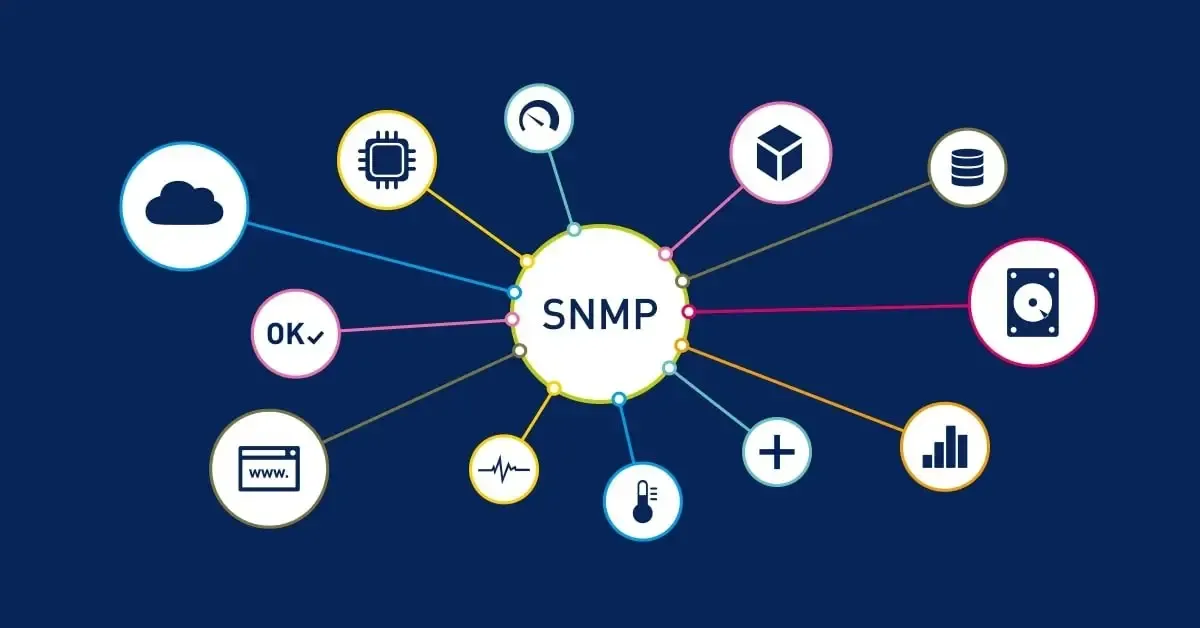
SNMP has three moving parts:
- The manager: your monitoring system. It asks questions and collects answers.
- The agent: a small service running on each network device, answering the manager's questions about that device.
- The MIB (Management Information Base): the catalog of what can be asked. Every value lives at an object identifier (OID), a dotted number such as
1.3.6.1.2.1.1.3.0, which is the device's uptime (sysUpTime).
Standard MIBs cover the basics every device shares: interfaces, traffic counters, errors, and system information. Vendors publish their own MIBs for device-specific data like a UPS's battery runtime or a firewall's session count. Your monitoring tool loads those MIBs so it can turn raw OIDs into readable names.
Polling and Traps
Information moves in two directions.
Polling: the manager asks agents for values on a schedule, over UDP port 161. The core operations are GET (read one value), GETNEXT and GETBULK (walk through a table, such as every interface on a switch), and SET (change a value, which you'll usually want disabled).
Traps and informs: the agent speaks first, over UDP port 162, when something happens: a link goes down, a power supply fails, a temperature threshold is crossed. A trap is fire-and-forget. An inform asks the manager to acknowledge receipt, so it's more reliable.
Good monitoring uses both. Polling builds the history and catches slow problems, like a port whose error count creeps upward. Traps catch sudden events between polls.
SNMP Versions: Why v3 Matters
| Version | Authentication | Encryption | Notes |
|---|---|---|---|
| SNMPv1 | Community string, sent in cleartext | None | Original version; 32-bit counters only |
| SNMPv2c | Community string, sent in cleartext | None | Adds GETBULK, informs and 64-bit counters |
| SNMPv3 | Per-user, hashed (SHA family) | Optional (AES) | Use the authPriv level: authentication plus encryption |
The community string in v1 and v2c works like a password, but it crosses the network in plain text, and anyone who can capture traffic can read it. Worse, many devices ship with the defaults public (read) and private (read-write). An attacker who finds a read-write community can reconfigure the device. Even read access leaks a detailed map of your network: interface names, IP addresses, routing tables, and firmware versions.
The 64-bit counters matter more than they sound. On a busy gigabit link, the old 32-bit traffic counters wrap around fast, which makes bandwidth graphs lie. That's another reason to leave v1 behind.
Running SNMP Safely
- Use SNMPv3 with authPriv on everything that supports it, with strong, unique credentials.
- Change or remove default community strings anywhere v2c has to stay for older gear, and never leave
publicorprivatein place. - Disable SET / write access unless a specific tool needs it.
- Restrict who can query. Use access lists so agents only answer your monitoring server, and keep management traffic on a management VLAN.
- Never expose SNMP to the internet. Check your firewall for inbound UDP 161.
- Turn it off where it isn't used. Printers and IoT gear often have SNMP enabled by default.
Want to see what's listening on your network? Our network scanner tool is a quick place to start.
A Quick Look in Practice
On Linux or macOS with the Net-SNMP tools installed, this walks the system information branch of a device using SNMPv3 (swap in your own username, passphrases, and IP address):
snmpwalk -v3 -l authPriv -u monitor -a SHA -A 'your-auth-passphrase' -x AES -X 'your-privacy-passphrase' 192.0.2.10 1.3.6.1.2.1.1If you get back the device's description, uptime, contact and name, the agent and credentials are working. If it times out, check the access list on the device and any firewall in between before you blame the credentials.
What to Monitor First
You don't need a thousand graphs. Start with these:
- Interface up/down status on switch uplinks, firewall ports, and server connections.
- Interface errors and discards. Rising errors are usually a failing cable, transceiver, or port.
- Bandwidth on internet and inter-closet links.
- CPU, memory, and temperature on core switches and firewalls.
- UPS battery status and runtime.
- Printer toner and paper, if you'd like fewer help desk tickets.
Frequently Asked Questions
Is SNMP secure?
SNMPv3 with authentication and encryption (authPriv) is reasonably secure when it's paired with access restrictions. SNMPv1 and v2c send their community strings in cleartext and should be limited to isolated management networks, if they're used at all.
What port does SNMP use?
Agents listen for queries on UDP port 161. Managers receive traps and informs on UDP port 162.
What's the difference between SNMP and SMTP?
They only share letters. SNMP monitors and manages network devices. SMTP (Simple Mail Transfer Protocol) sends email.
Is SNMP being replaced?
Newer approaches such as streaming telemetry and vendor APIs are common on large networks, and they're growing. SNMP remains the most widely supported option across mixed small and midsize business equipment.
Know About Problems Before Your Team Does
Monitoring only helps if someone configures it properly, tunes out the noise, and responds when an alert fires. If you'd rather hear about the failing warehouse port on Tuesday than Thursday, our managed IT services include network monitoring set up the right way. Let's talk about what's on your network.
Need Help With Network Technology?
LayerLogix provides expert network technology solutions for businesses across Houston and nationwide.
Related Articles

Need Expert IT Support?
Let our team help your Houston business with enterprise-grade IT services and cybersecurity solutions.